
Skip to content

What Is a Wood CNC Machine and How Does It Work?

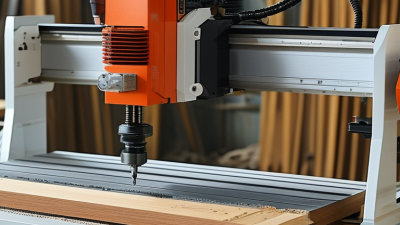
A wood CNC machine is a computer-controlled cutting system that shapes timber, plywood, MDF, and similar materials with remarkable repeatability. CNC means computer numerical control. The operator creates a digital drawing, converts it into toolpaths, and sends those instructions to motors moving the router across three axes. A sharp bit then removes material, layer by layer. The process looks simple. It is not always forgiving.

Industry data shows why this technology matters. Grand View Research estimates that the global computer numerical control machines market will continue expanding through the decade, supported by automation and customized manufacturing. A 2024 report from MarketsandMarkets also identifies woodworking automation as a growing application, especially for furniture, cabinetry, and panel processing. These figures describe a broad CNC market, not only wood CNC equipment. That distinction matters.

CNC woodworking educator James Hamilton explains the practical principle clearly: “A CNC router repeats a toolpath, not a design decision.” The machine can cut the same cabinet panel fifty times, but it cannot correct a poor drawing, loose workholding, or an unsuitable bit. In a real workshop, dust covers the spoilboard, clamps must stay outside the cutting path, and feed speed changes with every material. Operators still need judgment. A wood CNC machine improves consistency; it does not replace craftsmanship. Mistakes become repeatable, too.
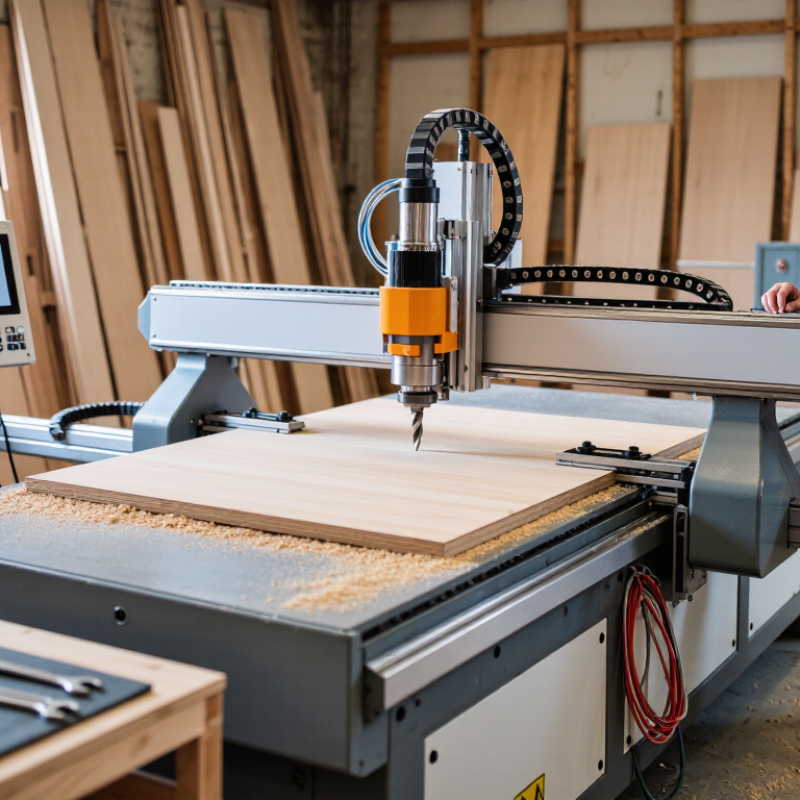
What Is a Wood CNC Machine and How Does It Work?

What Is a Wood CNC Machine?

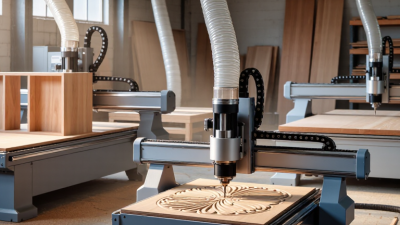
A wood CNC machine is a computer-controlled cutting system for shaping timber, plywood, MDF, and similar materials. CNC means computer numerical control. Instead of guiding a router by hand, the machine follows programmed coordinates. These coordinates control movement along the X, Y, and Z axes. The cutting tool removes material with measured passes.

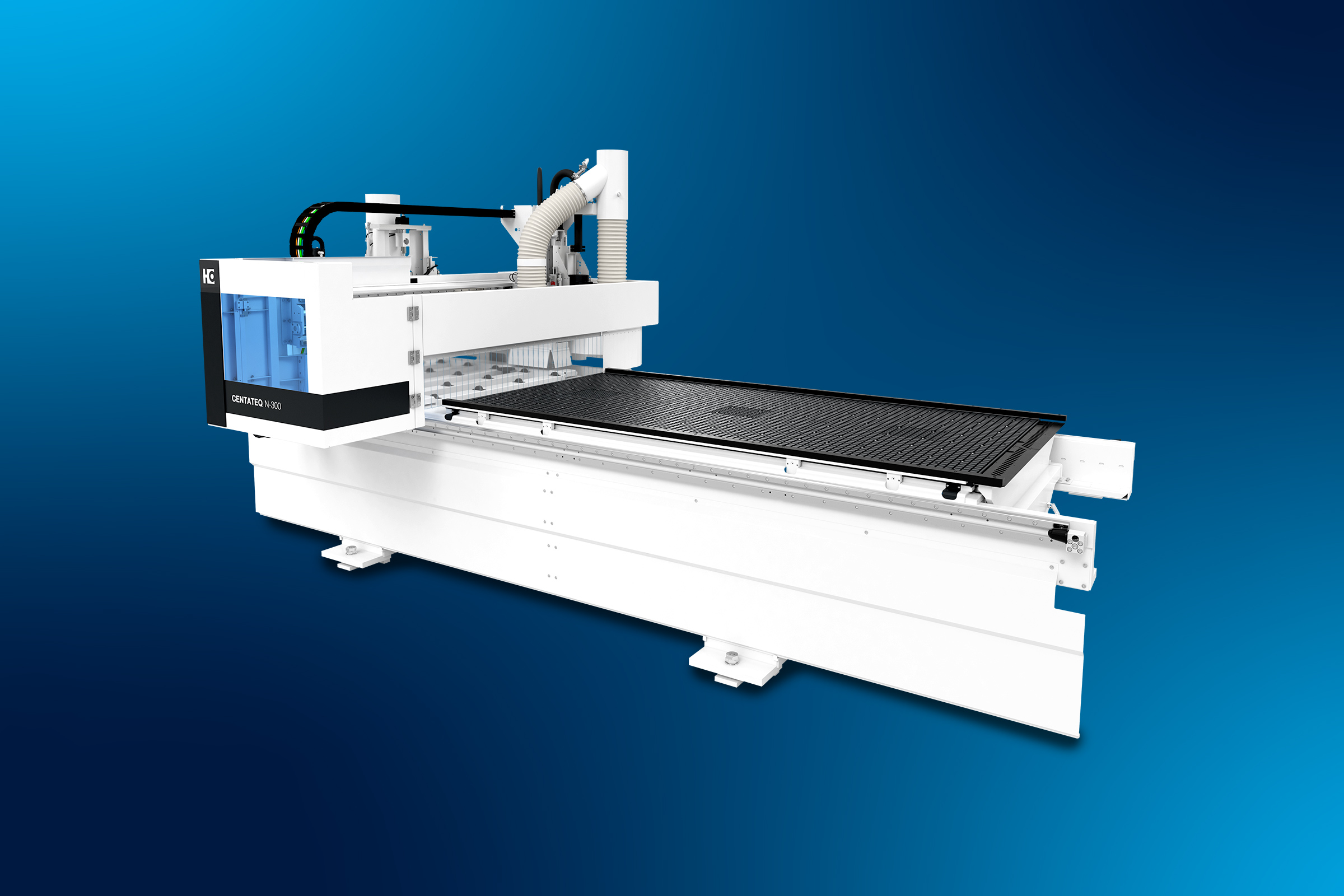
A typical machine includes a rigid frame, a worktable, drive motors, a spindle, and control software. The operator creates or imports a digital drawing, then converts it into toolpaths. The software defines cutting depth, speed, direction, and tool movement.

Clamps or vacuum fixtures hold the board flat. Poor holding can ruin an accurate job.

The process looks simple. It is not always simple. Wood changes with moisture, grain direction, and internal tension. A setting that works on pine may fail on dense hardwood. Experienced operators check the tool, secure the material, and run a small test cut. They also watch for dust buildup, excessive heat, and unusual vibration. A dull bit can burn the surface instead of cutting cleanly. That detail is easy to overlook.

The machine can produce cabinet parts, carved panels, signs, joints, templates, and repeated components. It improves consistency, but it does not replace judgment. Design errors still become physical errors.

Safe operation requires guarding, eye protection, dust control, and proper training. Never treat the machine like a large printer. It has real cutting force.

Key Components and Their Functions

A wood CNC machine converts digital drawings into controlled cutting movements. Its controller reads G-code, then directs motors along the X, Y, and Z axes. The spindle rotates a cutting tool, often between 12,000 and 24,000 revolutions per minute. A 2024 Grand View Research report estimates the global CNC machine market will expand at about 10% annually through 2030. Woodworking automation is clearly moving beyond large factories.

The frame and gantry provide structural stability during cutting. Linear rails guide movement, while stepper or servo motors control positioning accuracy. The spoilboard supports the panel and allows sacrificial cutting without damaging the main bed. Vacuum tables hold sheets flat, but poor sealing can reduce suction quickly. Small gaps matter. The spindle collet also deserves attention; a loose tool can create burn marks, vibration, and inaccurate edges.

Design software creates the toolpath, while the controller translates it into motion. Sensors can detect limits, tool height, or unexpected movement. A dust-collection system removes chips from the cutting zone and protects visibility. According to MarketsandMarkets’ 2024 CNC machine report, automation demand is strongly linked to productivity and repeatability. In practical use, however, software settings still require judgment. I have found that identical panels may cut differently when moisture, grain direction, or clamping pressure changes. Reports often emphasize precision, but workshop conditions remain imperfect. Calibration is not optional.

How Digital Designs Become CNC Instructions

A wood CNC machine turns a digital drawing into controlled cutting movements.

The process begins with CAD software, where a designer creates shapes, holes, or decorative patterns. Those shapes must reflect the material’s thickness and the cutter’s diameter.

Not ready yet.

Small errors matter.

CAM software converts the drawing into toolpaths. A toolpath tells the cutter where to travel, how deep to cut, and how quickly to move. It also sets cutting order, spindle speed, and feed rate.

The software then uses a post-processor to create machine instructions, commonly written as G-code. These instructions contain coordinates, depth changes, and movement commands. A controller reads them and drives the machine’s motors along the X, Y, and Z axes.

Before cutting, an experienced operator checks the virtual simulation for collisions and unwanted cuts.

The workpiece must be firmly secured, because vibration can damage both the wood and the cutter. The operator then sets the origin, confirms the tool length, and tests the first movements above the material.

I still treat this stage cautiously. A correct-looking file can contain a wrong origin or an unsafe plunge.

Different woods also react differently; soft grain may tear, while dense areas can cause burning.

A small test cut often exposes problems that software cannot predict.

The Step-by-Step Wood CNC Machining Process

What Is a Wood CNC Machine and How Does It Work?

The Step-by-Step Wood CNC Machining Process

A wood CNC machine uses computer-controlled motion to cut, drill, and carve timber. The process begins with a CAD drawing, where dimensions, joints, and surface details are defined. That design moves into CAM software, which converts geometry into toolpaths and cutting instructions. The operator chooses a suitable cutter, cutting depth, feed rate, and spindle speed for the wood species. These settings are not universal. Hard maple, plywood, and soft pine react differently.

The board is inspected for warping, knots, moisture, and loose edges before machining. It is secured firmly on the spoilboard, then the machine’s X, Y, and Z axes are referenced. The operator sets the work origin and checks the cutter length. A dry run above the material can reveal misplaced paths or incorrect dimensions. It feels slow, but it prevents expensive mistakes. Roughing passes remove bulk material quickly, while finishing passes refine curves, pockets, lettering, or joinery. Dust matters.

During cutting, an experienced operator watches chip size, vibration, sound, and heat. A burning smell may indicate a dull cutter or an overly slow feed. After machining, edges are inspected with calipers, and critical joints are test-fitted. Small burrs can be sanded, but large errors usually require revisiting the toolpath. I have found that perfect computer drawings still produce imperfect parts when stock shifts. That assumption can fail. Careful workholding and measured checks make the process repeatable, even when each board behaves slightly differently.

Applications, Suitable Materials, and Safety Practices

A wood CNC machine uses computer-controlled movements to cut, carve, drill, or engrave wood. A digital drawing becomes toolpaths, while motors guide the cutting bit across three axes. In a workshop, the process feels precise, but setup still matters. A dull bit can burn a clean edge. Applications include cabinet parts, carved signs, furniture joints, doors, templates, and small prototypes. It also handles repeated cuts more consistently than hand tools, especially when dimensions are checked carefully.

Common materials include plywood, MDF, solid hardwood, softwood, bamboo panels, and cork-based sheets. Each reacts differently to heat, vibration, and moisture. Plywood may splinter at the exit side, while MDF creates fine dust along almost every cut. Hard maple often needs slower passes than soft pine. Material thickness, grain direction, cutter geometry, feed rate, and spindle speed must match. I would test on scrap first; attractive settings on paper can fail around a real knot.

Safety begins before the spindle starts. Wear eye protection, hearing protection, and a suitable respirator for fine particles. Secure the workpiece firmly, keep hands away from the cutting zone, and verify the emergency stop. Use dust extraction, but never treat it as complete protection. Inspect cables and bits, remove loose clothing, and stay nearby during operation. Follow the machine manual and applicable workplace rules. Even experienced operators can miss a clamp or misread a toolpath. Slow checks prevent expensive and painful mistakes.

What Is a Wood CNC Machine and How Does It Work? - Applications, Suitable Materials, and Safety Practices
Category Key Point Description and Practical Information
Basic Definition Computer Numerical Control wood machine A wood CNC machine is a computer-controlled cutting, carving, drilling, or engraving system used to shape wood and wood-based panels. It moves a cutting tool along programmed paths on one or more axes.
Main Components Mechanical and control systems
  • Machine frame and worktable for structural support.
  • Linear guides, drive screws, or rack-and-pinion mechanisms for axis movement.
  • Spindle or router for cutting and material removal.
  • Stepper or servo motors for controlled movement.
  • Controller, computer, or CNC control software for executing toolpaths.
  • Workholding system, such as clamps or a vacuum table.
How It Works Digital design to finished part The operator creates or imports a CAD design, selects the material and cutting tool, generates CAM toolpaths, and exports machine instructions commonly known as G-code. The controller interprets these instructions and moves the tool along programmed X, Y, and Z coordinates.
Typical Workflow Five-step production process
  1. Prepare the digital drawing or 3D model.
  2. Secure and measure the workpiece.
  3. Choose the cutter, spindle speed, feed rate, and cutting depth.
  4. Simulate and verify the toolpath before machining.
  5. Run the job, inspect the result, and perform sanding or finishing if required.
Machine Types Common configurations
  • 3-axis CNC: Moves in X, Y, and Z directions and is suitable for most flat-panel cutting, routing, drilling, and 2.5D carving.
  • 4-axis CNC: Adds rotational movement for machining cylindrical or more complex workpieces.
  • 5-axis CNC: Tilts and rotates the tool or workpiece, allowing access to complex surfaces and angled features.
  • CNC router: Commonly used for wood, plastics, composites, and sheet materials.
Typical Applications What it can produce
  • Cabinet doors, furniture panels, shelves, and joinery components.
  • Signs, lettering, logos, decorative reliefs, and ornamental carvings.
  • Prototypes, templates, patterns, molds, and woodworking fixtures.
  • Musical instrument parts, architectural models, and custom interior elements.
  • Drilling, pocketing, profiling, contour cutting, engraving, and surface leveling.
Suitable Materials Commonly machined materials
  • Solid wood: Pine, poplar, oak, maple, birch, and similar species, provided the workpiece is dry and securely held.
  • Plywood: Suitable for profiling, drilling, and panel production; cutting quality depends on veneer and adhesive structure.
  • MDF and particleboard: Easy to route and commonly used for furniture parts, templates, and painted components.
  • Wood veneer and laminated panels: Require suitable tooling and workholding to reduce chipping or delamination.
  • Cork and selected composite boards: Can be machined when tool geometry and cutting parameters are appropriate.
Materials Requiring Care Potentially difficult or unsuitable materials Materials containing hidden nails, screws, staples, stones, or other metal objects can damage the cutter and create hazardous projectiles. Some treated, painted, or composite boards may produce harmful dust or fumes; their safety data and machining recommendations should be checked before use.
Cutting Tools Common router-bit choices
  • Straight or upcut bits: General-purpose cutting and pocketing with efficient chip evacuation.
  • Downcut bits: Help keep the top surface clean but may pack chips into the cut.
  • Compression bits: Designed to reduce chipping on laminated sheet materials when used at the correct depth.
  • V-bits: Used for lettering, engraving, and decorative details.
  • Ball-nose bits: Used for 3D carving and contoured surfaces.
Important Machining Variables Factors affecting quality and tool life Cutting results depend on spindle speed, feed rate, depth of cut, cutter diameter, flute count, wood species, grain direction, material thickness, and workholding. Parameters should be tested on scrap material because a setting suitable for MDF may not be suitable for solid hardwood.
Advantages Why CNC is used in woodworking CNC machining provides repeatable dimensions, accurate patterns, efficient production of multiple parts, rapid design changes, complex contours, and reduced dependence on manual layout. It can also combine several operations in one setup.
Limitations What operators should consider A CNC machine requires correct digital files, tooling knowledge, setup time, maintenance, and reliable workholding. It does not eliminate the need for finishing, inspection, dust control, or operator supervision. Wood movement caused by moisture and grain variation can also affect final accuracy.
Dust and Ventilation Control of airborne particles Wood dust should be collected at the cutting point with a suitable extraction system. The work area should be kept clean, and compressed air should not be used in a way that redistributes dust into the breathing zone. Fine dust can create respiratory and fire hazards.
Personal Protective Equipment Basic protective equipment Wear safety glasses or a face shield, hearing protection, and suitable respiratory protection when dust extraction does not adequately control exposure. Avoid loose clothing, jewelry, and unsecured long hair near moving machinery.
Safe Setup Checks before starting a job Inspect the cutter for damage, confirm that the tool is tightened correctly, secure the material firmly, verify the origin and travel limits, check the toolpath simulation, and ensure that the emergency stop is accessible. Confirm that clamps and fixtures cannot enter the toolpath.
Operating Safety Rules during machining Keep the machine enclosure or safety zone closed when applicable, remain nearby during operation, and stop the machine before measuring, cleaning, changing tools, or removing material. Never reach into the cutting area while the spindle or axis mechanisms are moving.
Maintenance Routine care Remove chips and dust, inspect cables and guards, check belts or drive mechanisms, lubricate components according to the machine manual, maintain a sharp and balanced tool, and verify calibration when dimensional accuracy becomes inconsistent.
Quality Inspection After-machining checks Check overall dimensions, hole locations, pocket depth, edge quality, surface finish, and signs of burning, tear-out, or delamination. Compare critical features with the CAD drawing or a calibrated measuring tool.
Safety note: Always follow the machine manufacturer's operating instructions, local workplace regulations, and the safety data for the material being machined. Training and supervision are essential before operating a CNC machine.