
-
-
-
-
-
-
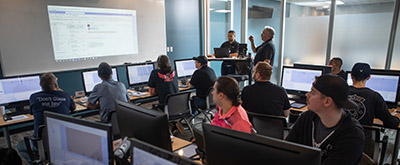
With a customized Stiles University course, we can provide expert training for your team, on-location. Whether it's programming, operation or maintenance, we want to help you train your personnel to meet your production goals efficiently and effectively.
-

Experience the trusted workforce development training and machinery knowledge you rely on from Stiles University, now at your convenience. With technology changing every day and new methods being developed constantly, Stiles University Online has the latest information and training content available at your fingertips.
-
-
-

Do you want to produce more efficiently? Processes and flows are key. We optimize these together with you, re-organize them and make sure that you reduce your lead time and save costs. This enables you to implement customized manufacturing and achieve your business goals.
-
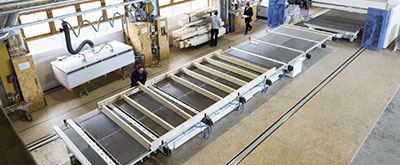
Industrialized construction is evolving. Automation, robotics and advanced technology are raising the level of productivity, efficiency and precision for builders in North America.
-
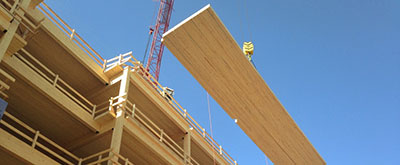
Stiles Machinery is at the forefront of providing technology and machining for producing high quality mass timber. Automated solutions for your mass timber production can increase your manufacturing quality and productivity.
-

Project management services from Stiles make it easy to streamline your entire project— from concept and consultation to integration and implementation.
-


-
-
-
-
-
-
With a customized Stiles University course, we can provide expert training for your team, on-location. Whether it's programming, operation or maintenance, we want to help you train your personnel to meet your production goals efficiently and effectively.
-
Experience the trusted workforce development training and machinery knowledge you rely on from Stiles University, now at your convenience. With technology changing every day and new methods being developed constantly, Stiles University Online has the latest information and training content available at your fingertips.
-
-
-
Do you want to produce more efficiently? Processes and flows are key. We optimize these together with you, re-organize them and make sure that you reduce your lead time and save costs. This enables you to implement customized manufacturing and achieve your business goals.
-
Industrialized construction is evolving. Automation, robotics and advanced technology are raising the level of productivity, efficiency and precision for builders in North America.
-
Stiles Machinery is at the forefront of providing technology and machining for producing high quality mass timber. Automated solutions for your mass timber production can increase your manufacturing quality and productivity.
-
Project management services from Stiles make it easy to streamline your entire project— from concept and consultation to integration and implementation.
-
What Is the Best CNC Router Kit for Beginners?
Choosing a first cnc router kit can feel like choosing a workshop in miniature. The frame must stay steady. The spindle must suit the materials. And the software should not turn a simple sign into an evening of troubleshooting. Beginners need more than a low price; they need a machine they can understand, maintain, and grow with.
The market context is substantial, but it needs careful interpretation. Grand View Research valued the global CNC machine market at about $101.22 billion in 2023 and forecast 5.5% annual growth from 2024 to 2030. That figure covers CNC machines broadly, not beginner router kits. It signals a mature, expanding field—not proof that any entry-level package is reliable. Specs still matter.
Maker and fabrication expert Adam Savage offers a useful habit for learning unfamiliar tools: “The only difference between screwing around and science is writing it down.” For a new router owner, that means recording feed settings, bit changes, and results on a scrap board. Small notes can prevent repeated mistakes. They also reveal when a machine is reaching its limits.
This guide compares beginner kits by usable work area, rigidity, assembly demands, software, support, and upgrade options. Expect trade-offs. A compact router may fit a garage bench but limit larger projects. A budget kit may leave little room for error. The best choice is the one that matches your first real projects—and leaves enough patience for the learning curve.
What Is a CNC Router Kit and How Does It Work?
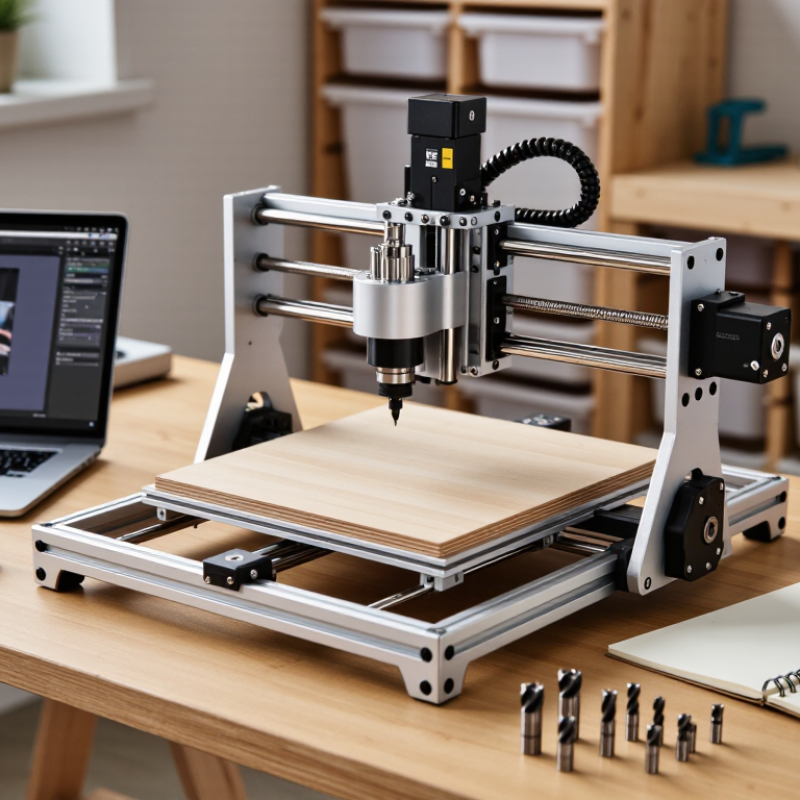
A CNC router kit is a bundled machine system, usually supplied with a frame, gantry, spindle, motors, controller, and software. The frame supports the workpiece while the gantry moves the cutting tool along three axes. A computer-aided manufacturing program converts a design into toolpaths and G-code. The controller reads those instructions and signals the motors. The spindle then rotates a cutter to remove material in measured passes. It is controlled cutting, not magic.
For a beginner, the practical work starts before the first cut. Assemble and square the frame, secure the material, set the tool’s zero point, and check the toolpath. Small alignment errors can leave ridges or shifted details. Setup takes patience. The International Federation of Robotics’ World Robotics 2024 report recorded 541,302 industrial robot installations worldwide in 2023. That figure reflects broader factory automation, not CNC router kit sales, so it should not be treated as a measure of beginner demand. A kit still needs dust collection, eye protection, and a reachable emergency stop. Tutorials can make setup look effortless; in a real workshop, calibration and test cuts often take longer than expected.
What Is the Best CNC Router Kit for Beginners? — What Is a CNC Router Kit and How Does It Work?
| Kit Configuration | Typical Work Area | Typical Spindle or Tool | Suitable Materials | Typical Motion System | Assembly and Setup | How the Kit Works | Beginner Considerations |
|---|---|---|---|---|---|---|---|
| Compact desktop, 3-axis | About 300 × 180 mm (12 × 7 in) | Usually a low-power spindle or rotary tool, commonly around 100–300 W | Wood, plastics, foam, and circuit-board engraving; aluminum is generally limited to light cuts and suitable setups | Three linear axes: X and Y move across the work surface; Z moves the tool up and down | Usually requires frame assembly, wiring, spindle installation, and motion-system checks | A computer converts a design into toolpaths. Control software sends movement commands to stepper motors, which guide the cutting tool along those paths. | Often a practical first kit for small signs, engraving, and learning basic CNC operation. Its small work area and lower cutting power limit larger projects. |
| Mid-size hobby, 3-axis | About 400 × 400 mm to 600 × 600 mm (16 × 16 to 24 × 24 in) | Often a trim-router-style spindle or higher-power spindle, commonly around 500–1,500 W | Wood, plastics, and some non-ferrous metals such as aluminum when feeds, tooling, and machine rigidity are appropriate | Three linear axes; rigidity depends on the frame, gantry, guides, and drive components | Typically needs more alignment and calibration than a compact desktop kit; a sturdy table and dust control are useful | The controller coordinates the three axes and spindle while following programmed toolpaths. The cutter removes material in successive passes. | A good fit when projects need a larger work area. Beginners should learn workholding, safe cutting depths, and dust management before increasing cutting speed. |
| Large-format hobby, 3-axis | About 600 × 900 mm to 1,200 × 1,200 mm (24 × 36 to 48 × 48 in) | Varies widely; often a router or spindle in the approximate 1–2.2 kW range | Large wood panels, plastics, and selected non-ferrous-metal work when the machine is designed and set up for it | Three linear axes with a larger gantry and longer rails or drive components | Requires more space, careful squaring and leveling, and attention to frame stiffness and electrical requirements | CAM software creates cutting paths from a design, and the controller moves the tool over the larger work surface while controlling spindle operation. | Useful for furniture parts and sheet goods, but its footprint, setup, and material handling can make it less convenient as a first machine. |
| Desktop kit with a fourth rotary axis | Usually a compact 3-axis work area, with a rotary attachment for cylindrical work | Typically similar to the matching desktop or hobby kit; the rotary attachment turns the workpiece | Wood, plastics, and other materials compatible with the base machine and cutting tool | Three linear axes plus a rotary axis that turns a cylindrical or round workpiece | Requires installation and alignment of the rotary attachment, plus software and controller support for rotary moves | The controller coordinates tool movement with rotation of the workpiece so the cutter can machine patterns around its surface. | Best for users who specifically want to make items such as turned signs or cylindrical engravings. It adds setup and programming complexity. |
Selection tip: For many first-time users, a compact 3-axis kit is a manageable starting point for learning design-to-toolpath workflows. Specifications vary by machine; verify the usable work area, included controller, spindle compatibility, safety equipment, and assembly requirements before choosing.
Related Posts
-
Top China CNC Router Manufacturers for Global Buyers?
-

Top 10 CNC Router Tables for Every Budget in 2026
-
How to Choose the Best CNC Wood Router for Your Needs?
-
2026 Top CNC Router Models for Professional Use and Hobbyists?
-
Exploring the Amazing World of CNC Routers for DIY Enthusiasts
-
Top 5 CNC Router Kits for Ultimate Precision and DIY Projects in 2023